Jarvis OS: Personal AI Assistant on Claude Code
Jarvis OS is a free, MIT-licensed repo that turns Claude Code into a voice assistant with memory, app access, and phone calls. Here is how to set it up.

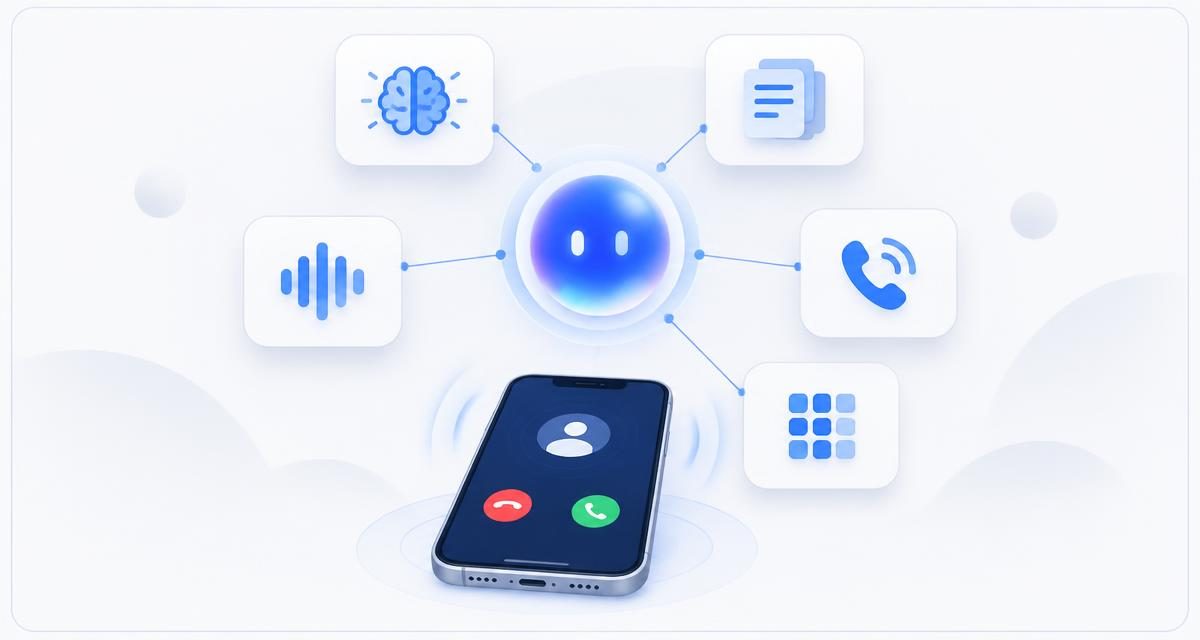
Picture a morning like this. It is 7:30, you are still holding your coffee, and your phone rings. A calm voice says good morning, that it is your digital assistant, and that you have three meetings today, the first one at nine. It also reminds you that yesterday you never called back a lead, and that it is your mom's birthday.
You answer out loud: "Set up a half hour with this lead tomorrow, and remind me at four to call my mom." It does exactly that.
This is not a movie. In the Iron Man films, Tony Stark has Jarvis, an assistant that knows him, talks with him, and runs his systems. For years that was science fiction. Now it is a folder on your computer, built from five simple layers that already exist and are available to anyone.
In short: Jarvis OS is a free, open source repo under the MIT license that turns Claude Code into a personal assistant. It talks out loud, remembers you in markdown files, works with your apps through Composio, and can call you on the phone through ElevenLabs and Twilio. The basic setup, brain and memory only, takes about two minutes and needs no keys.
Key takeaways
- Jarvis OS is free and open source under the MIT license. You pay only the providers you connect.
- The basic setup, brain and memory only, takes two minutes and needs no API keys.
- The repo includes nine ready-made skills, and the memory is plain markdown you can open in Obsidian.
- Voice runs through ElevenLabs, and phone calls run through an ElevenLabs agent on a Twilio number.
- Phone calls can only go to numbers in CALL_ALLOWLIST, and callme only dials OWNER_PHONE.
- The repo has 52 automated tests that run on every update.
What is Jarvis OS and who is it for?
Jarvis OS is a starter kit, not a finished app. It is a folder with one settings file, nine ready skills, a memory folder, and a few short Python commands. The brain is Claude Code, which is already included if you have a suitable Claude subscription.
It fits these people:
- Small business owners and freelancers who are buried in email, leads, and meetings
- Managers who want a morning summary and an evening recap without opening five apps
- People who already use Claude Code and want it to really know them
- People who want to learn how to build a personal agent, one layer at a time, without a black box
It fits less well if you want a ready app with one click. This setup requires a terminal, and the voice and phone layers require accounts with providers. If you want a finished service you can sign up for and use right away, this is not it.
Why does a talking assistant change the way I work?
It changes three things: speed, memory, and initiative. Most of what we ask an assistant is one sentence. Saying it takes three seconds. Opening a computer, finding the right window, and typing takes a minute, so most of those requests simply never happen.
It also remembers what you tell it. It does not ask again who Dana is. Everything you tell it is saved in files, so the next time you say "call Dana," it knows who she is, what her number is, and what you agreed last time.
It acts, not just answers. Through Composio, it can read your email, check your calendar, update a spreadsheet, and draft a message to a lead. You approve, and it carries out the task.
It starts conversations too. It can run a scheduled morning call, remind you by phone before a meeting, or give you an evening recap. You do not have to remember to ask.
Everything stays with you. The memory is plain text files on your computer. You can read, edit, or delete any line. There is no hidden database.
The difference between a chatbot and a personal assistant is not how smart it is. The difference is that a chatbot waits for you to type. A personal assistant picks up the phone.
What are the five layers, plus one?
Jarvis OS is built from five layers, and a sixth layer for tools. Each layer has a clear job and a clear place in the repo.
| Layer | What it does | Where it lives in the repo |
|---|---|---|
| Brain | Claude Code running from the folder | CLAUDE.md |
| Skills | Short instruction files, one per ability | .claude/skills |
| Memory | Markdown files, open in Obsidian | memory |
| Voice | Transcription and speech through ElevenLabs | jarvis/voice.py |
| Phone | Outgoing calls: a voice agent on a Twilio number | jarvis/call.py and jarvis/callme.py |
| Tools | Your apps, through Composio | docs/composio.md |
Layer 1: The brain
Claude Code automatically reads a file called CLAUDE.md from the folder where it runs. That file says who Jarvis is, who it works for, how it talks (short, because you hear the answers out loud), and what it may and may not do. Do you want it sarcastic? Formal? Should it call you by a nickname? You change one line.
If you are new to Claude, you can start with the basics of how to use it.
Layer 2: The skills
A skill is one markdown file that explains to Jarvis how to do something. Nine come ready:
| Skill | What you say | What happens |
|---|---|---|
| morning-brief | Good morning | A spoken summary of the day: meetings, the most important thing, and what is left from yesterday |
| evening-recap | Evening recap | What got done, what is still open, and what comes first tomorrow |
| remember | Remember that | Saves a fact in the right file |
| call | Call Dana and tell her | Dials an approved number with a task |
| connect-app | Connect my calendar | Connects a new app through Composio |
| inbox-triage | Is there anything important in my email | Only the emails that need you, read out loud |
| schedule-meeting | Schedule a meeting with | Finds a free time and books it after your approval |
| lead-follow-up | Who should I follow up with | Drafts the next message for each open lead |
| meeting-recap | Recap the meeting | Decisions, tasks, and open questions |
Adding your own skill takes about a minute. You copy a folder of an existing skill, then change the name and the instructions. Ideas for more skills include flight planning, a LinkedIn post, a quote, invoice tracking, and a weekly client summary.
Layer 3: The memory
The memory folder holds three kinds of files:
- profile.md: who you are, what you do, and how you like answers
- people: one file per person, with context, phone number, and what you agreed
- log: one file per day, with a line for everything that happened
Open the folder in Obsidian and you get a map of everything Jarvis knows about you. The daily log is not committed to git, so your days stay private. Jarvis does not store passwords, card numbers, or ID numbers. The settings tell it not to.
You can also use direct commands:
python -m jarvis.memory log "I talked with my accountant"
python -m jarvis.memory phone Dana
python -m jarvis.memory recent 2
Layer 4: The voice
The loop is simple. You speak, transcription turns your speech into text, Claude Code thinks and answers, and the answer comes back as speech.
python -m jarvis.say "Hello, I am Jarvis"
python -m jarvis.talk
Why is the voice in the cloud and not local? Many Jarvis write-ups use Whisper and Kokoro, which run on your computer for free. The default here is ElevenLabs, which handles both transcription and speech. If you want to save money, you can compare plans, and check the ElevenLabs pricing page before you sign up. Prices change.
Layer 5: The phone
This is where Jarvis leaves the computer. There are two modes.
It calls you. The callme command dials only your own number, so you can schedule it without worrying about who receives the call.
python -m jarvis.callme "Leave now for the 4:00 meeting"
python -m jarvis.callme --brief
The second command asks the brain to build a morning summary, then calls you and reads it. The repo includes scripts/morning-call.sh, with a cron line ready to run a call every weekday at 7:30.
It calls someone else for you. For example, to confirm a time with a vendor or remind a client about a meeting.
python -m jarvis.call --to +972501234567 --task "confirm tomorrow's 10:00 meeting" --dry-runBehind the scenes, an ElevenLabs voice agent is connected to a phone number on Twilio. The code sends one request with the agent ID, the number, and the task. The agent handles the call.
The sixth layer: The tools, through Composio
Without this layer, Jarvis is only a mouth and an ear. Composio gives it hands. It is one connection that covers email, calendar, drive, spreadsheets, Notion, LinkedIn, and more than a thousand other apps, according to Composio's documentation.
There are two ways to install it. The first is a plugin for Claude Code, which avoids dealing with keys:
/plugin marketplace add ComposioHQ/composio-plugin-cc
/plugin install composio-mcp@composio
The second is one MCP command with an API key:
claude mcp add --scope user --transport http composio https://connect.composio.dev/mcp --header "x-consumer-api-key: YOUR_API_KEY"After that, you connect apps by voice. You say "connect my email," Jarvis gives you a link, and you approve access in your browser. Jarvis never sees your password.
If you want to understand how agents connect to tools in depth, see the MCP documentation and Composio's guides. The same pattern works for any system that exposes an MCP server.
What do I need before I start?
You need a computer with Python 3.10 or newer and Claude Code installed and signed in. The other items depend on the layers you want.
- A computer with Python 3.10 or newer
- Claude Code installed and connected to your account
- For voice: an ElevenLabs account, an API key, and the ID of a voice you like
- For phone: a Twilio account with a number that supports voice calls, and an agent in ElevenLabs Agents
- For tools: a Composio account
- For reading memory: Obsidian, optional
The layers are independent. You can start with only the brain and memory, then add voice, tools, and phone when you want them.
How do I install Jarvis OS, step by step?
Start with the brain,
Questions people ask
What is Jarvis OS?
Jarvis OS is a free, open source repo under the MIT license. It turns Claude Code into a personal assistant that talks out loud, remembers you in markdown files, works with your apps through Composio, and calls you on the phone through ElevenLabs and Twilio.
How much does Jarvis OS cost?
The repo itself is free. You pay only the providers: a Claude subscription, ElevenLabs usage based on how much speech you generate, a Twilio phone number and call minutes, and a Composio plan. Prices change, so check each provider's official pricing page.
Can I start without any API keys?
Yes. After git clone, you run python -m jarvis.talk --text --mute, which starts the brain and memory without any key. Voice, apps, and phone calls are added later.
Can Jarvis call any phone number?
No. jarvis.call only dials numbers listed in CALL_ALLOWLIST, and any other number is rejected. The callme command only dials OWNER_PHONE, and the agent introduces itself as a digital assistant calling on your behalf.
Which skills come ready to use?
Nine skills come ready: morning-brief, evening-recap, remember, call, connect-app, inbox-triage, schedule-meeting, lead-follow-up, and meeting-recap. To add your own, you copy an existing skill folder and change its name and instructions.