Can n8n Replace GCP? Claude Code and MCP Guide
Learn what n8n can and cannot replace in GCP, when to use each, and how to build cloud workflows with Claude Code using the GCP MCP server step by step.

I keep seeing the same question come up in automation communities: "Can n8n replace GCP?" It makes sense. As n8n adds more native AI capabilities, cloud integrations, and agent-like features, it is fair to ask where n8n ends and cloud platforms begin. In this guide, I walk through the answer and show a newer approach: using Claude Code with the GCP MCP server to build cloud infrastructure and automation workflows in plain English.
In short:
In short: No, n8n cannot replace GCP. They work at different layers. n8n can replace GCP's workflow orchestration services for most business automation, and the strongest setup is often n8n orchestrating GCP services.
Key takeaways
- n8n is a workflow automation platform. GCP is a cloud infrastructure provider.
- n8n can replace GCP's workflow orchestration services, such as Cloud Workflows and Cloud Composer/Airflow, for most business automation use cases.
- Self-hosted n8n on a €5 VPS costs far less than GCP Composer at $300+/month.
- GCP has an official MCP server that lets Claude Code work with your Google Cloud infrastructure in plain English.
- n8n has 400+ pre-built integrations. n8n-MCP gives Claude Code access to 1,239 automation nodes and 2,646 pre-built configurations.
- By default, Claude Code tends to create Code nodes in n8n. A prompt instruction can steer it toward native nodes.
What is n8n?
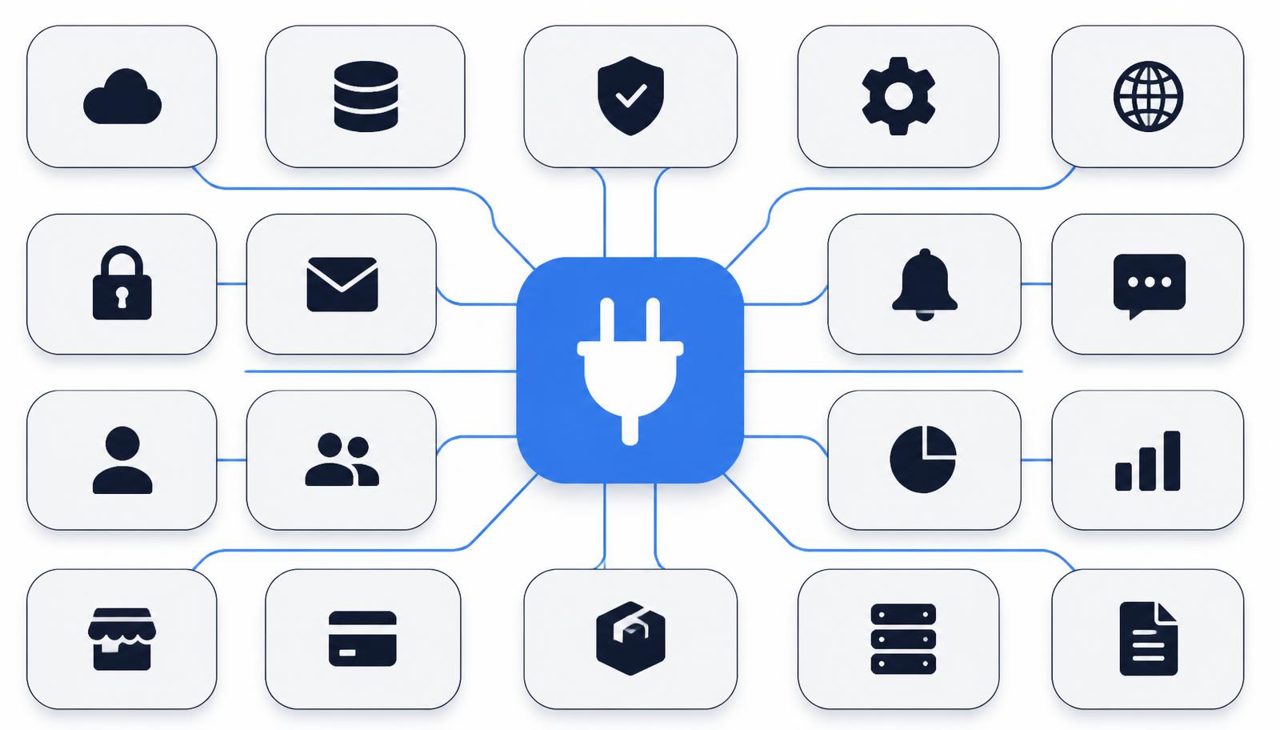
n8n is a workflow automation platform that connects services with trigger-action chains and coordinates data between them. It is best known for visual workflow building with 400+ pre-built integrations.
n8n excels at:
- Connecting two or more services with a trigger-action-trigger-action chain
- Visual workflow building with 400+ pre-built integrations
- Processing and transforming data between systems
- Running scheduled tasks (cron-style)
- AI agent workflows with LLM nodes and memory
- Self-hosting for data sovereignty and cost control
n8n is fundamentally about orchestration between services. It is the glue layer. It connects your CRM to your email to your Slack to your database. It does not replace any of those things. It coordinates them.
What is GCP?
Google Cloud Platform (GCP) is a cloud infrastructure provider. It supplies the servers, databases, and raw cloud services that your applications and workflows run on.
GCP provides:
- Compute: Virtual machines (Compute Engine), containers (GKE), serverless functions (Cloud Functions/Cloud Run)
- Storage: Object storage (Cloud Storage/GCS), SQL databases (Cloud SQL), NoSQL (Firestore, Bigtable)
- Data: Big data processing (BigQuery, Dataflow, Pub/Sub)
- AI/ML: Vertex AI, Speech-to-Text, Vision API, Translation
- Networking: Load balancers, CDN, DNS, VPNs
- Security: IAM, Secret Manager, Cloud Armor
Can n8n replace GCP?
No. n8n cannot replace GCP, because they operate at fundamentally different layers of the stack. What n8n can do is replace GCP's workflow orchestration services (Cloud Workflows and Cloud Composer/Airflow) for most business automation use cases, at a fraction of the cost and complexity.
| Capability | n8n | GCP |
|---|---|---|
| Workflow orchestration | Native | Available (Cloud Workflows, Composer) |
| Serverless functions | Limited (Code nodes) | Cloud Functions, Cloud Run |
| Scheduled jobs | Native | Cloud Scheduler |
| Message queuing | Limited | Pub/Sub (much more robust) |
| Database hosting | No | Cloud SQL, Firestore |
| Object storage | No | Cloud Storage |
| Data warehousing | No | BigQuery |
| Machine learning | Via API calls | Vertex AI |
| Compute / VMs | No | Compute Engine |
| Container orchestration | No | GKE |
| Global CDN | No | Cloud CDN |
| Cost for basic automation | ~€5/month (self-host) | Variable (can be $0 on free tier) |
Where n8n beats GCP-native orchestration
- Visual interface: GCP's Cloud Workflows uses a YAML-based language. n8n's canvas is much more accessible.
- Integration library: n8n has 400+ pre-built connectors. GCP has none, so you build everything with HTTP calls.
- Cost: Self-hosted n8n on a €5 VPS compares to GCP Composer at $300+/month.
- Speed to build: An n8n workflow that would take 2 hours to build takes 15 minutes.
Where GCP wins
- Data at scale: BigQuery processes petabytes. n8n can't.
- Compute: When you need a VM, Cloud Run container, or GPU instance, you need GCP (or another cloud).
- Real-time event streaming: Pub/Sub handles millions of messages per second. n8n is not built for this.
- Compliance and enterprise: GCP has SOC2, HIPAA, and FedRAMP certifications that self-hosted n8n cannot match.
What is the best architecture for n8n and GCP?
The best setup is n8n orchestrating GCP services, not choosing one or the other. n8n handles the orchestration logic, and GCP handles the heavy infrastructure work. This combination is significantly cheaper and more flexible than using GCP's own orchestration tools (Cloud Workflows or Cloud Composer).
Here is an example architecture:
Trigger (webhook, schedule, or event)
    ↓
n8n Workflow
    ├─→ Query BigQuery (GCP) for data analysis
    ├─→ Upload files to Cloud Storage (GCP)
    ├─→ Trigger Cloud Run function (GCP) for heavy processing
    ├─→ Send results to Slack / CRM
    └─→ Log execution to Supabase
What is new with Claude Code and the GCP MCP server?
Claude Code can now use GCP's official MCP (Model Context Protocol) server to interact directly with your Google Cloud infrastructure. You can create resources, manage services, run queries, and build architectures in plain English.
This changes the workflow. The old way looks like this:
- Learn the GCP console UI
- Learn gcloud CLI commands
- Write YAML/Terraform configuration
- Manually test and deploy
With Claude Code and GCP MCP, it looks like this:
- Describe what you want to Claude Code
- Claude Code uses the GCP MCP to build it
How do you set up Claude Code with GCP MCP?
You install Claude Code and the gcloud CLI, authenticate with GCP, add the GCP MCP server to your Claude Code configuration, create a service account for MCP, and restart Claude Code.
Prerequisites
- Claude Code installed (
npm install -g @anthropic-ai/claude-code) - A GCP account with billing enabled
- gcloud CLI installed and authenticated
Setup steps
- Install the gcloud CLI.
On macOS:
   # On macOS
   brew install google-cloud-sdk
On Linux:
   # On Linux
   curl https://sdk.cloud.google.com | bash
exec -l $SHELL- Authenticate with GCP.
   gcloud auth login
   gcloud config set project YOUR_PROJECT_ID
gcloud auth application-default login- Configure GCP MCP in Claude Code.
Create or edit your Claude Code MCP configuration file:
   # On macOS/Linux
   nano ~/.config/claude/mcp.json

   # On Windows
   notepad %APPDATA%\claude\mcp.json
Add the GCP MCP server configuration:
   {
     "mcpServers": {
       "gcp": {
         "command": "npx",
         "args": ["@google-cloud/mcp-server"],
         "env": {
           "GOOGLE_CLOUD_PROJECT": "your-project-id",
           "GOOGLE_APPLICATION_CREDENTIALS": "/path/to/your/service-account-key.json"
         }
       }
     }
}- Create a service account for MCP.
   # Create a service account
   gcloud iam service-accounts create claude-code-mcp \
     --display-name="Claude Code MCP"

   # Grant necessary permissions (adjust based on what you need)
   gcloud projects add-iam-policy-binding YOUR_PROJECT_ID \
     --member="serviceAccount:claude-code-mcp@YOUR_PROJECT_ID.iam.gserviceaccount.com" \
     --role="roles/editor"

   # Create and download the key
   gcloud iam service-accounts keys create ~/gcp-mcp-key.json \
     --iam-account=claude-code-mcp@YOUR_PROJECT_ID.iam.gserviceaccount.com
Then update your mcp.json to point to this key file.
- Restart Claude Code.
claude # The MCP server will load automaticallyWhat can you build with Claude Code and GCP MCP?
With Claude Code connected to GCP through MCP, you can have natural language conversations about your infrastructure. Here are three examples.
Example 1: Set up n8n on GCP
You: I want to deploy a self-hosted n8n instance on GCP. Use Cloud Run for the application,
Cloud SQL (PostgreSQL) for the database, and Cloud Storage for file uploads. Set it up
with a custom domain and SSL.

Claude Code: I'll set up n8n on GCP for you. Let me plan the architecture first:
- Cloud Run: n8n application container (scales to zero when not in use)
- Cloud SQL: PostgreSQL 16 instance (db-f1-micro for cost efficiency)
- Cloud Storage: Bucket for n8n file uploads
- Cloud Armor + Load Balancer: For SSL and custom domain

Creating Cloud SQL instance...
[Claude Code executes gcloud commands via MCP]

Creating Cloud Run service with n8n...
[Claude Code builds and deploys the container]

Setting up custom domain...
[Claude Code configures the load balancer]

Your n8n instance is live at https://n8n.yourdomain.com
Monthly estimated cost: ~$25/month
Example 2: BigQuery automation pipeline
You: Build an n8n workflow that queries BigQuery daily for our top 100 customers by
revenue this month, enriches each one with LinkedIn data via Clay, and sends the
results to our Salesforce CRM with a priority score.

Claude Code: I'll build this workflow. First, let me set up the BigQuery dataset
access for n8n, then create the workflow...

[Claude Code creates GCP service account with BigQuery access]
[Claude Code generates the n8n workflow JSON via n8n MCP]
[Claude Code configures the Clay and Salesforce connections]

Workflow created. It will run daily at 6am and process up to 100 customers per run.
Estimated BigQuery cost: ~$0.50/month (queries only charge for data scanned).
Example 3: Cloud Run deployment for custom code
You: I have a Python script that processes our customer data using Pandas.
It currently runs manually on my laptop. Deploy it as a Cloud Run job that
runs every night at midnight, reads input from Cloud Storage, and writes
results back to Cloud Storage and BigQuery.

Claude Code: I'll containerize your script and deploy it to Cloud Run.
[Claude Code creates Dockerfile]
[Claude Code builds and pushes to Artifact Registry]
[Claude Code creates Cloud Run Job]
[Claude Code creates Cloud Scheduler trigger]

Your script will now run automatically at midnight UTC.
You'll see results in gs://your-bucket/output/ and in the customer_analytics dataset in BigQuery.
How do you build n8n workflows with Claude Code?
You connect Claude Code to your n8n instance with the n8n MCP server, then describe the workflow you want. The n8n-MCP server gives Claude Code direct access to 1,239 automation nodes and 2,646 pre-built configurations.
Add the n8n MCP server to your configuration:
{
  "mcpServers": {
    "n8n": {
      "command": "npx",
      "args": ["n8n-mcp"],
      "env": {
        "N8N_BASE_URL": "https://n8n.yourdomain.com",
        "N8N_API_KEY": "your-n8n-api-key"
      }
    }
  }
}
Now Claude Code can build n8n workflows:
You: Build an n8n workflow that monitors my Postiz analytics every Monday,
identifies the top 3 performing posts from the past week, generates 5 similar
post ideas using Claude, and creates draft posts in Postiz for next week.

Claude Code: Building this workflow now...
[Creates n8n workflow with Postiz API nodes, Claude AI node, conditional logic]

Workflow deployed to your n8n instance. It will run every Monday at 8am.
Important tip: By default, Claude Code tends to create Code nodes (JavaScript) in n8n workflows instead of native n8n nodes. Add this to your prompt:
Use native n8n nodes wherever possible instead of Code nodes. Only use Code nodes if there's no native node that can do the job.How do the tools fit together?
Claude Code is your interface, n8n is the orchestration layer, and GCP is the infrastructure layer. Each layer connects to the next through
Questions people ask
Can n8n replace Google Cloud Platform?
No. n8n and GCP operate at different layers of the stack. n8n can replace GCP's workflow orchestration services, such as Cloud Workflows and Cloud Composer, for most business automation use cases at a lower cost and complexity.
How much does it cost to run n8n on Hetzner?
A self-hosted n8n instance on a Hetzner CX22 server costs about €5 per month. The same setup on GCP Cloud Run is estimated at about $10-30 per month. Costs on GCP vary based on usage.
How do you connect Claude Code to GCP?
Install Claude Code, the gcloud CLI, and authenticate with GCP. Then add the GCP MCP server to your Claude Code MCP configuration file, create a service account for MCP, and restart Claude Code. The MCP server loads automatically.
Does Claude Code build native n8n nodes?
By default, Claude Code tends to create Code nodes in JavaScript instead of native n8n nodes. You can add an instruction to your prompt to use native nodes wherever possible and use Code nodes only when no native node can do the job.
When should you use GCP instead of a simple VPS for n8n?
Use GCP when you need real infrastructure such as compute, storage, and databases, when you process large data volumes, or when you need enterprise compliance certifications. GCP also makes sense when your application needs to scale beyond what a single VPS can handle.