Replace Salesforce and monday.com with Twenty, EspoCRM and Huly. Learn step-by-step Docker setup, n8n workflows, API keys, webhooks and common fixes.
Replace Salesforce and monday.com with Twenty, EspoCRM and Huly. Learn step-by-step Docker setup, n8n workflows, API keys, webhooks and common fixes.

I wanted to move off per-seat CRM and project tools, but I didn't want to lose the automations my team relied on. This guide is the stack I promised in my earlier post. It covers three tools: Twenty CRM, EspoCRM and Huly. It goes from Docker installs to working n8n automations, with common fixes and best practices along the way.
In short: You can replace Salesforce and monday.com with self-hosted open source tools. Use n8n as the hub, Twenty or EspoCRM as your CRM, and Huly for work management next to the CRM. Plan for a VPS with 4GB RAM for n8n plus one CRM, and 8GB or more if you add Huly.
Key takeaways
- Choose either Twenty or EspoCRM as your CRM, not both. Huly handles project and team management beside the CRM.
- A VPS with 4GB RAM is enough for n8n with Twenty or EspoCRM. Huly needs 8GB RAM or more.
- Twenty needs both its server and worker containers running, or its workflows and webhooks will not run.
- EspoCRM needs the espocrm-daemon container running, or webhooks, workflows and email sending will not run.
- Twenty stores amounts in amountMicros, so 10,000 is stored as 10000000000.
- Huly has no public REST API and no outgoing webhooks, so connecting it to n8n takes JavaScript or a small bridge service.
Who is this guide for?
This guide is for small business owners, RevOps people, and anyone who wants to stop paying for licenses and build their own stack. You need basic terminal and Docker skills. You do not need to write code to use n8n, but the Huly section includes a short JavaScript snippet.
What does the architecture look like?
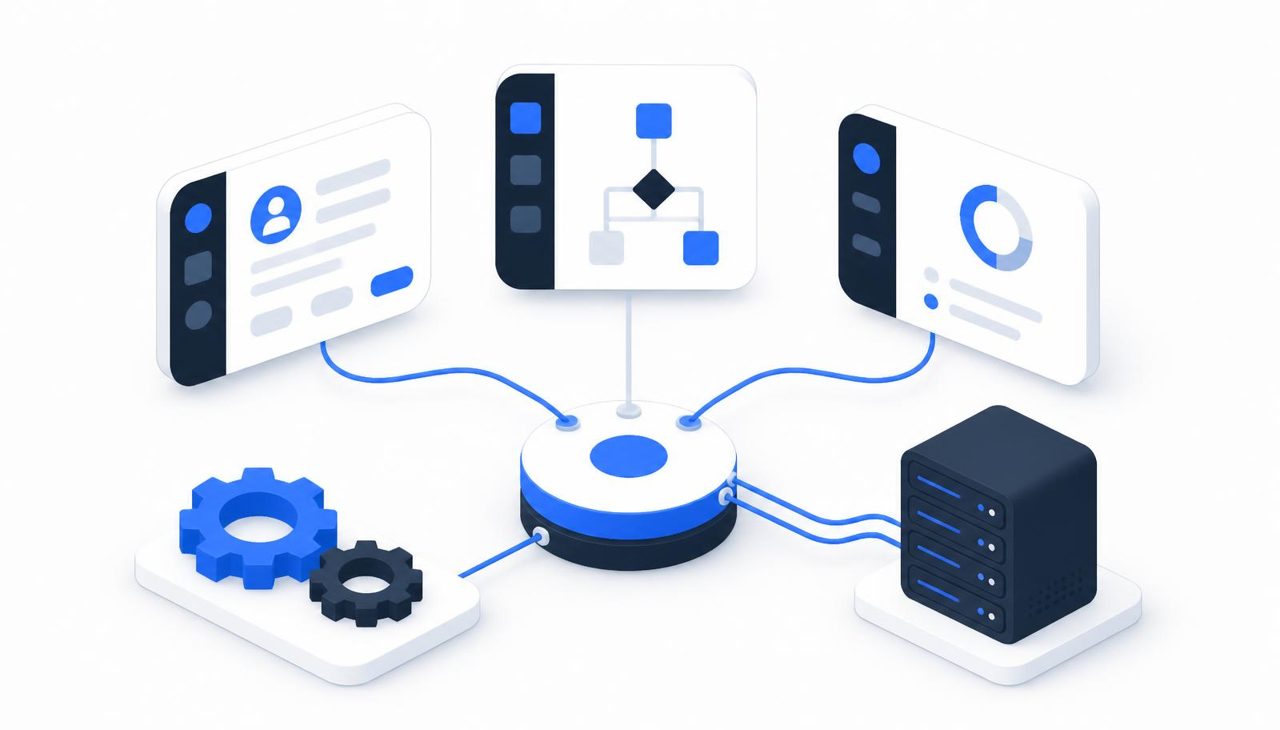
n8n is the hub in the middle. The other tools are sources and destinations that connect to it.
[Website form / WhatsApp / Email]
            |
            v
      +-----------+     webhook      +-----------+
      |   n8n     | <--------------- | EspoCRM   |
      | (hub)     | ---------------> | Twenty    |
      +-----------+   API / node     | Huly      |
            |                        +-----------+
            v
[Slack / WhatsApp / Google Sheets / Claude]
Each connection works in two directions:
- Push from the tool to n8n: The tool sends a webhook when something happens, such as a lead being created or a deal changing stage.
- Pull or write from n8n to the tool: n8n reads or writes data through the tool's API.
Choose Twenty or EspoCRM, not both. Huly sits beside the CRM as the project and team management layer.
What do you need before you start?
Here is what you need before installing anything:
- A Linux server (Ubuntu 22.04 or 24.04) with Docker and Docker Compose. A VPS with 4GB RAM is enough for Twenty or EspoCRM plus n8n. If you add Huly, use at least 8GB.
- A domain with DNS records, for example crm.yourdomain.com, n8n.yourdomain.com and huly.yourdomain.com.
- A reverse proxy with HTTPS. Caddy is the simplest option. Webhooks do not work properly without HTTPS.
Here is a minimal Caddyfile:
n8n.yourdomain.com {
    reverse_proxy localhost:5678
}
crm.yourdomain.com {
    reverse_proxy localhost:3000
}
How do you set up n8n quickly?
Create a docker-compose.yml file with the n8n service, then start it with docker compose up -d. The file sets the host, protocol, webhook URL, timezone, community packages and the external library that the Huly code node needs.
services:
  n8n:
    image: docker.n8n.io/n8nio/n8n
    restart: unless-stopped
    ports:
      - "5678:5678"
    environment:
      - N8N_HOST=n8n.yourdomain.com
      - N8N_PROTOCOL=https
      - WEBHOOK_URL=https://n8n.yourdomain.com/
      - GENERIC_TIMEZONE=America/New_York
      - N8N_COMMUNITY_PACKAGES_ENABLED=true
      - NODE_FUNCTION_ALLOW_EXTERNAL=@hcengineering/api-client
    volumes:
      - n8n_data:/home/node/.n8n
volumes:
  n8n_data:
docker compose up -dThree settings matter most:
- WEBHOOK_URL: Without it, n8n creates webhook addresses with localhost, and external tools cannot reach it.
- N8N_COMMUNITY_PACKAGES_ENABLED=true: This is required to install the Twenty node.
- NODE_FUNCTION_ALLOW_EXTERNAL: This is only required for the Huly section, where a Code node imports an external library.
How do you install and use Twenty CRM?
Twenty is an open source CRM licensed under AGPL-3.0. It was built as a direct replacement for Salesforce and HubSpot. It uses React, NestJS, PostgreSQL and Redis.
Its main advantage is its metadata-based data model. When you create a custom object in the UI, it gets REST and GraphQL endpoints right away, with no migrations.
Twenty is a good fit for teams of 1 to 50 users who want a modern interface and a clean API. It is less suited to people who need advanced reporting or mass email campaigns from inside the CRM.
How do you install Twenty?
Run the official install script. It creates a folder with a docker-compose.yml file and a .env file.
bash <(curl -sL https://raw.githubusercontent.com/twentyhq/twenty/main/packages/twenty-docker/scripts/install.sh)Check these settings in the .env file:
TAG=latest
SERVER_URL=https://crm.yourdomain.com
APP_SECRET=<long random string>
PG_DATABASE_PASSWORD=<password>
A few important notes:
- Twenty runs as two processes from the same image: server (API and frontend) and worker (email sync, workflows and cron). Both must be running, and both need the same encryption key. If the worker is not running, Twenty's workflows and webhooks will not work.
- Use at least 2GB RAM. With less, the processes crash at random.
- In production, pin TAG to a specific version, such as v2.26.1, instead of latest. That way an automatic update will not break your schema.
Start it and check the logs to confirm it came up:
docker compose up -d
docker compose logs -f server   # confirm the startup finished
Here is a daily backup job for your crontab:
0 2 * * * docker exec twenty-postgres pg_dump -U postgres twenty > /backups/twenty_$(date +\%Y\%m\%d).sqlHow do you create a Twenty API key?
Go to Settings, then APIs & Webhooks, then Create API key. The key is shown only once, so save it right away. Store it in n8n as a Header Auth credential with these values:
- Name: Authorization
- Value: Bearer <API_KEY>
Twenty allows about 100 requests per minute per key. If you process a batch of records in n8n, add a Wait node or a Split In Batches node.
What is the difference between Twenty's REST and GraphQL APIs?
REST is best for simple create, read, update and delete actions. GraphQL is best for complex queries that include related records. Both are available on the same server.
REST uses this base path: https://crm.yourdomain.com/rest/<objectPlural>;
Create a contact:
curl -X POST https://crm.yourdomain.com/rest/people \
  -H "Authorization: Bearer $TWENTY_API_KEY" \
  -H "Content-Type: application/json" \
  -d '{
    "name": { "firstName": "Dana", "lastName": "Cohen" },
    "emails": { "primaryEmail": "dana@example.com" },
    "phones": { "primaryPhoneNumber": "0501234567", "primaryPhoneCountryCode": "IL" }
  }'
Get opportunities at a certain stage:
curl "https://crm.yourdomain.com/rest/opportunities?filter=stage[eq]:PROPOSAL&limit=50" \
  -H "Authorization: Bearer $TWENTY_API_KEY"
GraphQL uses this path: https://crm.yourdomain.com/graphql
query {
  opportunities(filter: { stage: { eq: PROPOSAL } }, first: 50) {
    edges {
      node {
        id
        name
        amount { amountMicros currencyCode }
        company { name domainName { primaryLinkUrl } }
        pointOfContact { name { firstName lastName } emails { primaryEmail } }
      }
    }
  }
}
Watch out for amounts. Twenty stores them in amountMicros, which means millionths. A value of 10,000 is stored as 10000000000. This is a common conversion mistake.
The full schema is available as OpenAPI at https://crm.yourdomain.com/rest/open-api/core. It is useful when you import into n8n or Postman.
How do you send Twenty webhooks to n8n?
- In n8n, create a new workflow and add a Webhook node with the POST method. Copy the Production URL.
- In Twenty, go to Settings, then APIs & Webhooks, then Create webhook. Paste the URL, choose an object (for example, opportunity), and choose an event (created, updated, deleted or *).
- Activate the workflow in n8n with the Active toggle. The Test URL only works after you click "Listen for test event". Production requires the Production URL and an active workflow.
This is the payload you will receive:
{
  "targetUrl": "https://n8n.yourdomain.com/webhook/...",
  "eventName": "opportunity.updated",
  "objectMetadata": { "id": "...", "nameSingular": "opportunity" },
  "workspaceId": "...",
  "webhookId": "...",
  "eventDate": "2026-09-14T10:15:00.000Z",
  "record": {
    "id": "...",
    "name": "Acme - Enterprise plan",
    "stage": "PROPOSAL",
    "amount": { "amountMicros": 10000000000, "currencyCode": "ILS" }
  },
  "updatedFields": ["stage"]
}
The updatedFields list is the most useful part. It lets you react only when the stage changes, not to every small edit.
How do you install the Twenty community node in n8n?
Go to Settings, then Community Nodes, then Install, and enter n8n-nodes-twenty.
The node supports create, get, getAll, update and delete actions on people, companies, opportunities and custom objects. It is in beta and may break between Twenty versions. My approach is to use the node for everyday work, and a HTTP Request node with REST or GraphQL as a fallback when something is not supported.
The node credential needs an API Key and a Base URL, such as https://crm.yourdomain.com.
What are two ready-to-use Twenty workflows?
Workflow A: Website form lead to Twenty to Slack
Webhook (POST /new-lead)
  → Set (normalize: firstName, lastName, email, phone, source)
  → Twenty node: Person → Create
  → Twenty node: Opportunity → Create (link to person, stage = NEW)
  → Slack: "New lead: {{ $json.name }} from {{ $json.source }}"
Workflow B: Deal moves to WON, then open a Huly project and send the client a WhatsApp message
Webhook (Twenty: opportunity.updated)
  → IF: {{ $json.updatedFields.includes('stage') && $json.record.stage === 'WON' }}
  → HTTP Request: Twenty GraphQL (pull company + contact details)
  → Code node: create Huly project (see section 6.4)
  → WhatsApp / Twilio: "Happy to start working together..."
How do you install and use EspoCRM?
EspoCRM is a mature CRM built with PHP and MySQL or MariaDB. It uses very few resources, about 256MB RAM at idle. Its admin interface lets you build entities, fields and workflows without touching code.
It includes features that Twenty does not offer yet: email campaigns, IMAP and SMTP sync inside the CRM, a call log, and a capable report builder.
EspoCRM is a good fit for non-technical managers who want things to "just work", and for businesses that need reports and email from inside the system. It is the leading choice in the r/selfhosted community for connecting to n8n.
How do you install EspoCRM?
Create this docker-compose.yml file. It includes the database, the EspoCRM app and the daemon.
services:
  espocrm-db:
    image: mariadb
Questions people ask
What is the difference between Twenty and EspoCRM, and which one should I choose?
Twenty is a modern CRM built with React, NestJS and Postgres. It gives automatic REST and GraphQL access to every object, so it fits technical teams. EspoCRM runs on PHP and MariaDB, uses very little memory, and includes email campaigns, IMAP sync and built-in reports, so it fits non-technical managers. Pick one of them, not both.
Does Huly replace a CRM?
No. Huly replaces monday.com for work management, covering tasks, documents, team chat and GitHub sync. It sits next to your CRM, not in place of it.
How much server do I need to run this stack?
A VPS with 4GB RAM is enough for n8n with Twenty or EspoCRM. If you add Huly, plan for at least 8GB RAM and 4 vCPU, because Huly runs CockroachDB, Redpanda, Elasticsearch and MinIO.
Why aren't my n8n webhooks arriving?
The most common cause is a missing WEBHOOK_URL setting, which makes n8n generate localhost addresses. After you fix it, run docker compose up -d --force-recreate. You also need HTTPS through a reverse proxy, and the workflow must be Active with its Production URL.
Why aren't my EspoCRM webhooks being sent?
The espocrm-daemon container is probably not running. It runs the EspoCRM cron that handles webhooks, workflows and email sending, and it is the most common problem people hit.