Meeting Transcription with Speaker Labels: Full Guide
Learn how to transcribe meetings with speaker labels using Nemotron 3 Diarization, OpenRouter, and Claude, with code, costs, and a meeting summary prompt.

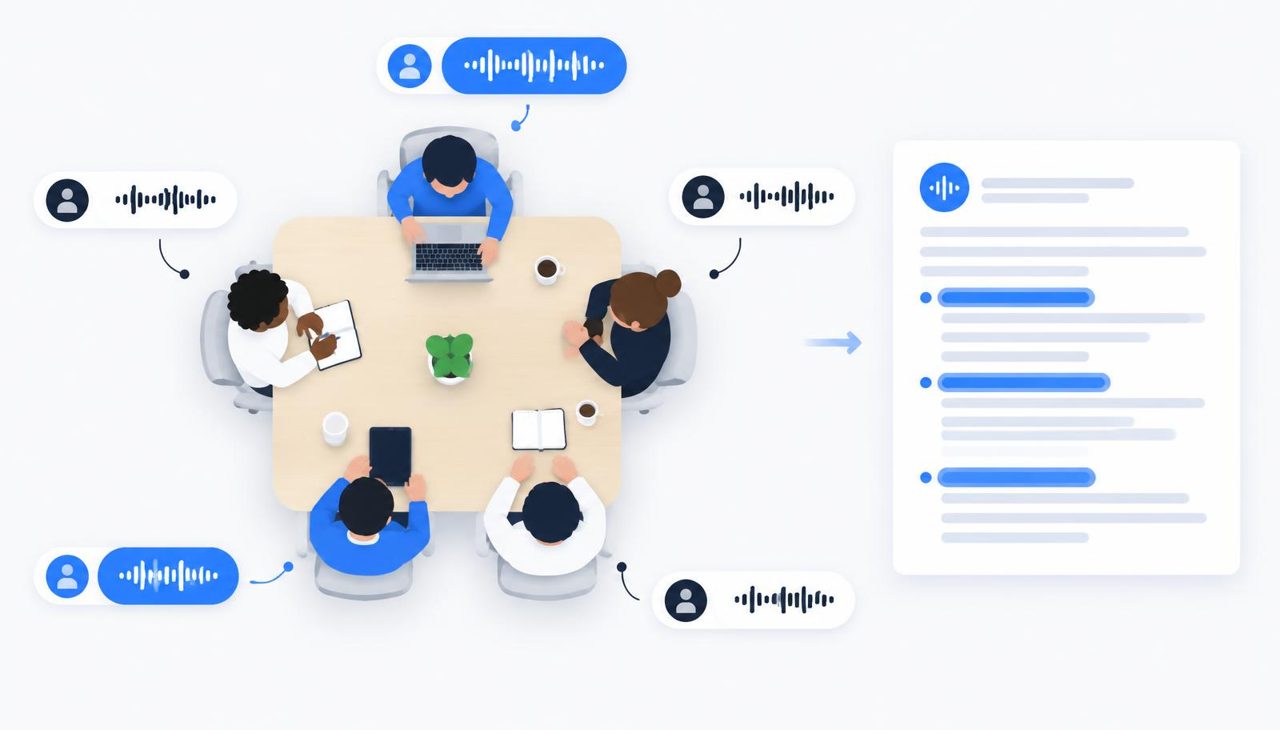
On a recent call with a client, we spent 40 minutes talking and nobody wrote down who promised what. Two days later, the team remembered the decision in three different ways. I wanted a tool that would answer one simple question: who said what, and who committed to what?
In short: You can build a meeting transcriber that labels each speaker, transcribes the words with timestamps, and sends the result to Claude for a summary of decisions and commitments. The pipeline uses Nemotron 3 Diarization for speaker detection and OpenRouter for transcription. It runs for cents per meeting, and the code fits in one Python file.
Key takeaways
- Nemotron 3 Diarization has 100 million parameters, runs on a GPU with 4GB of memory, and detects up to 8 speakers, including overlapping speech.
- The model ranked first on the Diarization-Bench of VoiceArena with a DER of 14.72%, and it has an OpenMDW 1.1 license that allows commercial use.
- Record audio at 16kHz, mono. One ffmpeg command converts a phone, Zoom, or Google Meet recording.
- OpenRouter's transcription endpoint, POST /api/v1/audio/transcriptions, uses the same API key you already have for chat, and it returns word-level timestamps with verbose_json.
- Audio longer than the 60-second OpenRouter processing timeout needs to be split into 5 to 10 minute chunks. The script in this guide sets 8-minute chunks.
- The full pipeline for a one-hour meeting costs about one cent through Baseten, plus tens of cents for transcription and a few cents for the Claude summary.
What is new in Nemotron 3 Diarization and Qwen Audio 3.1?
NVIDIA released Nemotron 3 Diarization on September 23, 2026. It is a speaker diarization model with open weights. It has 100 million parameters, so it runs on a GPU with 4GB of memory, and there is also a CoreML version for Mac. It detects up to 8 speakers, including overlapping speech.
The model does not depend on language. It detects voices, not words, so it works on any language the same way it works on English. The transcription comes from a separate model.
Through cloud providers like Baseten and DeepInfra, the price drops to a cent per hour of audio.
The same day, Alibaba released Qwen Audio 3.1, which includes five voice models and lower prices. Speech-to-text (ASR) costs up to 95% less, TTS costs about 70% less, and Realtime costs about 85% less. The ASR-Next model returns a transcript with speaker detection, timestamps, emotion, and background noise in one call.
One more change that many people missed: OpenRouter opened a transcription endpoint. You can use the same API key you already have for chat, with Whisper and other STT models. This is what makes this pipeline a one-hour project.
How does the pipeline work?
The pipeline takes one recording and runs it through three steps.
- Speaker diarization: Nemotron takes the audio and returns a list of segments. Each segment shows when speaker 0, speaker 1, and so on talked, from one second to another second. It does not return any words.
- Transcription: OpenRouter takes the same audio and returns the words with a timestamp for each word.
- Merge and summary: A short script matches each word to a speaker by time. Then Claude receives the labeled transcript and returns a summary, the decisions, who committed to what, and what is still open.
Nemotron does not understand language, so it works the same on any language. The transcription model handles the words.
If you need more than a transcript and want to answer out loud in real time, you will need a different setup. This guide focuses on recording analysis.
How do you prepare the recording?
Nemotron expects 16kHz audio with one channel. A recording from a phone, Zoom, or Google Meet works after one conversion with ffmpeg.
- Install ffmpeg on your computer.
- Run the conversion command below to make a 16kHz, mono WAV file.
ffmpeg -i meeting.m4a -ac 1 -ar 16000 meeting.wavA few tips improve the result:
- Put one phone in the middle of the table. This works better than a laptop at the edge.
- In Zoom, record the meeting locally (Record on this computer), not to the cloud.
- Don't worry about overlapping speech. The model was trained on it.
Which option should you use to run Nemotron for free?
The free route runs Nemotron on your own machine. You have three ways to start, and each one suits a different setup.
Option 1: The fastest route, NeMo-Speech.cpp (one line)
NVIDIA released a small C++ runtime that runs locally without Python.
nemo-speech diarize meeting.wavIf the meeting is in English, this command also transcribes it with word-level speaker labels:
nemo-speech transcribe meeting.wav --diarize --jsonFor other languages, use only diarize and get the transcript from OpenRouter (see the transcription section below). Installation instructions are in the NVIDIA/NeMo-Speech.cpp repo on GitHub.
Option 2: Python with Transformers (the one the script uses)
Install the dependencies:
pip install git+https://github.com/huggingface/transformers torch soundfile requestsThen run the diarization code:
import torch
from transformers import AutoModelForAudioFrameClassification, AutoProcessor
from transformers.audio_utils import load_audio

model_id = "nvidia/Nemotron-3-Diarization"
processor = AutoProcessor.from_pretrained(model_id)
model = AutoModelForAudioFrameClassification.from_pretrained(model_id, device_map="auto")

sr = processor.feature_extractor.sampling_rate
audio = load_audio("meeting.wav", sampling_rate=sr)
inputs = processor(audio, sampling_rate=sr).to(model.device, dtype=model.dtype)

with torch.inference_mode():
    logits = model(**inputs).logits

segments = processor.extract_speaker_dict(logits, inputs.attention_mask)[0]
for s in segments:
    print(f"speaker_{s['Speaker']}: {s['Start']:.2f}s to {s['End']:.2f}s")
The output is a list of segments with Start, End, and Speaker. Speakers are numbered in the order they first appear in the recording.
Option 3: NVIDIA NeMo (for control over latency)
Install the NeMo toolkit:
uv pip install Cython packaging
uv pip install 'nemo-toolkit[asr]'
Then load the model and run diarization:
from nemo.collections.asr.models import SortformerEncLabelModel
m = SortformerEncLabelModel.from_pretrained("nvidia/Nemotron-3-Diarization")
m.eval()
m.sortformer_modules.chunk_len = 340
m.sortformer_modules.chunk_right_context = 40
m.sortformer_modules.fifo_len = 40
m.sortformer_modules.spkcache_update_period = 300
m._check_streaming_parameters()
segments = m.diarize(audio=["meeting.wav"], batch_size=1)
These settings use offline mode, which is the most accurate choice for recordings. The model card also lists live settings from 0.32 to 1.04 seconds.
No GPU?
- Mac: FluidInference has a CoreML version named nemotron-3-diarization-coreml.
- Cloud: Baseten and DeepInfra host the model, at about a cent per hour of audio.
- Google Colab: A free notebook with a T4 GPU is more than enough for a 100M parameter model.
Useful links:
- huggingface.co/nvidia/Nemotron-3-Diarization (model card)
- huggingface.co/blog/nvidia/nemotron-diarization (NVIDIA technical blog)
- huggingface.co/spaces/nvidia/nemotron-diarization (live demo on Spaces)
- huggingface.co/FluidInference/nemotron-3-diarization-coreml (CoreML version for Mac)
- baseten.co/library/nemotron-3-diarization (cloud hosting on Baseten)
How do you transcribe with OpenRouter?
OpenRouter opened the endpoint POST /api/v1/audio/transcriptions. You send the audio as base64 and get text back. You use the same key you use for chat.
A few things to know:
- Model: openai/whisper-large-v3 works well.
- Word timestamps: To get a timestamp for each word, which you need to match words to speakers, set
response_format: "verbose_json"andtimestamp_granularities: ["word"]. This works with OpenAI-compatible providers such as OpenAI, Groq, and Together. - Timeout: Processing has a 60-second timeout. An hour-long recording needs to be split into chunks of 5 to 10 minutes. The script in the next section does this for you.
- Format: WAV is the safest format. MP3 gives the smallest files. The maximum size for multipart uploads is 25MB. Base64 uploads have no such limit.
- Cost: The price appears in the usage.cost field of every response. It has no OpenRouter markup on the provider's price.
A basic call looks like this:
import base64, os, requests

audio_b64 = base64.b64encode(open("chunk.mp3", "rb").read()).decode()

r = requests.post(
    "https://openrouter.ai/api/v1/audio/transcriptions",
    headers={"Authorization": f"Bearer {os.environ['OPENROUTER_API_KEY']}"},
    json={
        "model": "openai/whisper-large-v3",
        "input_audio": {"data": audio_b64, "format": "mp3"},
        "language": "he",
        "response_format": "verbose_json",
        "timestamp_granularities": ["word"],
    },
)
print(r.json()["text"])
print(r.json()["usage"]["cost"])
Useful links:
- openrouter.ai/blog/tutorials/transcription-on-openrouter (OpenRouter transcription tutorial)
- openrouter.ai/collections/speech-to-text-models (speech-to-text model collection)
How do you connect everything in one script?
Save the script as meeting.py. It converts the audio, runs Nemotron, splits the audio into chunks and sends them to OpenRouter, matches words to speakers, and sends the labeled transcript to Claude for a summary.
import base64
import json
import os
import subprocess
import sys
import tempfile

import requests
import torch
from transformers import AutoModelForAudioFrameClassification, AutoProcessor
from transformers.audio_utils import load_audio

OR_KEY = os.environ["OPENROUTER_API_KEY"]
STT_MODEL = "openai/whisper-large-v3"
LLM_MODEL = "anthropic/claude-opus-5.5"
LANG = "he"
CHUNK_SEC = 480  # 8 minutes per chunk, under the OpenRouter timeout


def to_wav16k(src):
    out = tempfile.mktemp(suffix=".wav")
    subprocess.run(["ffmpeg", "-y", "-i", src, "-ac", "1", "-ar", "16000", out],
                   check=True, capture_output=True)
    return out


def diarize(wav):
    model_id = "nvidia/Nemotron-3-Diarization"
    processor = AutoProcessor.from_pretrained(model_id)
    model = AutoModelForAudioFrameClassification.from_pretrained(model_id, device_map="auto")
    sr = processor.feature_extractor.sampling_rate
    audio = load_audio(wav, sampling_rate=sr)
    inputs = processor(audio, sampling_rate=sr).to(model.device, dtype=model.dtype)
    with torch.inference_mode():
        logits = model(**inputs).logits
    return processor.extract_speaker_dict(logits, inputs.attention_mask)[0]


def split_audio(wav):
    """Splits into mp3 chunks of CHUNK_SEC seconds, returns [(path, offset_seconds)]"""
    outdir = tempfile.mkdtemp()
    pattern = os.path.join(outdir, "chunk_%03d.mp3")
    subprocess.run(["ffmpeg
Questions people ask
What is Nemotron 3 Diarization?
It is a speaker diarization model with open weights that NVIDIA released on September 23, 2026. It has 100 million parameters, runs on a GPU with 4GB of memory, and detects up to 8 speakers, including overlapping speech. It ranked first on the Diarization-Bench of VoiceArena with a DER of 14.72%.
Does speaker detection work for meetings that are not in English?
Yes. Nemotron does not depend on language because it detects voices, not words.
How much does it cost to transcribe a one-hour meeting?
Running Nemotron locally costs nothing. Running it through Baseten costs about one cent, and Whisper large through OpenRouter usually costs tens of cents per hour. Summarizing with Claude Opus 5.5 adds a few cents, while tools like Otter or Fireflies cost $10 to $30 per user per month.
What if I don't have a GPU?
You have three options. You can use the CoreML version from FluidInference on a Mac, run the model in the cloud through Baseten or DeepInfra, or use the free Google Colab with a T4 GPU, which is enough for a 100M parameter model. NeMo-Speech.cpp can also run on a CPU, though more slowly.
How do I replace Speaker 1 and Speaker 2 with real names?
You can do it by hand by opening transcript.txt and swapping the names based on the content, which takes about 20 seconds. You can also ask Claude to guess names from the conversation, such as who addresses whom and who introduces themselves, using the prompt in this guide.