Voicebox: Free Local Voice AI Studio for Cloning and Dictation
Learn what Voicebox does, how its voice cloning, dictation, and MCP features work, and how to install this free, open code tool on your own computer.


Forty-one thousand six hundred stars on GitHub. About 1.6 million downloads. First place on GitHub Trending. And it costs exactly $0.
If you pay for ElevenLabs today ($99 per month on the Creator plan) or for WisprFlow to dictate text, stop for a minute. One tool does both jobs. It runs locally, with no cloud, no subscription, and no API keys.
The tool is called Voicebox. In this article I take it apart piece by piece.
In short: Voicebox is a free, locally run AI voice studio that clones voices, generates speech, and dictates text into any app. It bundles features that usually come from separate paid services, including ElevenLabs and WisprFlow, into one app on your own machine. The project lives at github.com/jamiepine/voicebox, and the official site is voicebox.sh.
Key takeaways
- Voicebox has 41,600 stars on GitHub, about 1.6 million downloads, and reached first place on GitHub Trending.
- It clones a voice from a few seconds of audio and uses 7 TTS engines that you can switch between for each generation.
- Its Chatterbox Multilingual engine covers 23 languages.
- Dictation works in any app through a hold-to-speak or tap-to-toggle shortcut, with a local Qwen3 model that removes filler words.
- Voicebox includes a built-in MCP server, so agents such as Claude Code can speak to you in a chosen voice.
- The code is released under the MIT license, and the project shipped 25 versions with more than 600 commits.
What is Voicebox?
Voicebox is a local-first AI voice studio. It works as a free alternative to ElevenLabs and WisprFlow in a single app. It clones voices from a few seconds of audio, generates speech in 23 languages, dictates text into any application on your computer, and gives a voice to any AI agent that supports MCP.
The core idea is simple. Two large cloud companies each own half of the voice loop. ElevenLabs handles output, which is text to voice. WisprFlow handles input, which is voice to text. Voicebox does both. It connects the two with a built-in local LLM and runs everything on your machine.
The project was built by Jamie Pine, the developer behind Spacedrive. The project went from zero to 40,000 stars within a few months.
If you want a live conversation with business tools and phone systems, the article also points to voice AI models and voice agent building. This article stays focused on Voicebox.
Why is Voicebox a big deal?
Voicebox matters because it puts the main voice features in one place and keeps your recordings on your own machine. Here is a simple comparison of the three tools.
| Capability | ElevenLabs | WisprFlow | Voicebox |
|---|---|---|---|
| Voice cloning | Yes (cloud) | No | Yes (local) |
| System dictation | No | Yes (cloud) | Yes (local) |
| Voice for AI agents | Partial | No | Yes (built-in MCP) |
| Price | $22 to $99 per month | Monthly subscription | Free |
| Your voice stays with you | No | No | Yes |
| Open code | No | No | Yes, MIT license |
For creators, developers, and anyone who does not want their recordings traveling through someone else's cloud, this is a major change.
What are the main features of Voicebox?
Voicebox includes six main feature areas: voice cloning with seven TTS engines, system-wide dictation, voice for AI agents, a stories editor, effects and versioning, and a Captures tab. Each one is described below.
1. How does voice cloning work with 7 TTS engines?
Voicebox does not rely on one engine. It includes 7 TTS engines, and you can switch between them for each generation.
- Qwen3-TTS (0.6B / 1.7B): High-quality multilingual cloning with natural language delivery instructions such as "speak slowly" or "whisper."
- Qwen CustomVoice: 9 built-in preset voices with control over tone and pace. No voice sample is needed.
- Chatterbox Multilingual: The widest language coverage, with 23 languages, including Arabic, Greek, Turkish, and more.
- Chatterbox Turbo: A fast model (350M) with emotion tags such as [laugh], [sigh], and [gasp].
- LuxTTS: A lightweight model that uses about 1GB of VRAM and runs up to 150 times faster than real time on a CPU.
- TADA by HumeAI (1B / 3B): Coherent audio up to 700+ seconds in a single run.
- Kokoro: A tiny model (82M) with 50 preset voices that runs fast even on a CPU.
The short version: record yourself for a few seconds, and you have a clone of your voice. Or choose from 50+ ready-made voices.
2. Can Voicebox dictate text into any app?
Yes. Hold a keyboard shortcut anywhere on your system, speak, and release. The text goes straight into the field you are focused on. Behind the scenes, Voicebox runs OpenAI's Whisper. On Macs with Apple Silicon it uses MLX. On Windows and Linux it uses PyTorch with CUDA or ROCm.
The smart part is the LLM refinement step. A local Qwen3 model removes the "ums," stutters, and false starts before the text is pasted. You can speak messily and get clean text.
- Smart paste on macOS works through the Accessibility API, so your clipboard is not overwritten.
- Shortcuts are fully configurable, with hold-to-speak or tap-to-toggle.
- A microphone button appears on every text field inside the app.
- Automatic pasting on Windows and Linux is still on the roadmap.
3. How do AI agents get a voice through MCP?
This is the feature that made me write this article.
Voicebox includes a built-in MCP server. Any agent that supports MCP can speak to you in a voice you cloned. That includes Claude Code, Cursor, Windsurf, and Cline. You can add it to Claude Code with one command:
claude mcp add voicebox \
  --transport http \
  --url http://127.0.0.1:17493/mcp \
  --header "X-Voicebox-Client-Id: claude-code"
After that, when an agent finishes a task, it can tell you directly: "The tests passed, you can merge." It uses the voice you picked.
There are two more layers:
- A different voice for each agent. Claude Code can use one voice and Cursor another. You know who is talking without looking at the screen.
- Voice Personalities. You attach a free-text personality description to a voice profile, such as "calm engineer" or "cynical code reviewer." The local LLM rewrites the agent's output in that style before it is read aloud. The agents do not just sound different. They talk differently.
If you do not use MCP, Voicebox also has a simple POST /speak endpoint in its REST API. That means even a bash script can speak to you.
4. What is the Stories Editor?
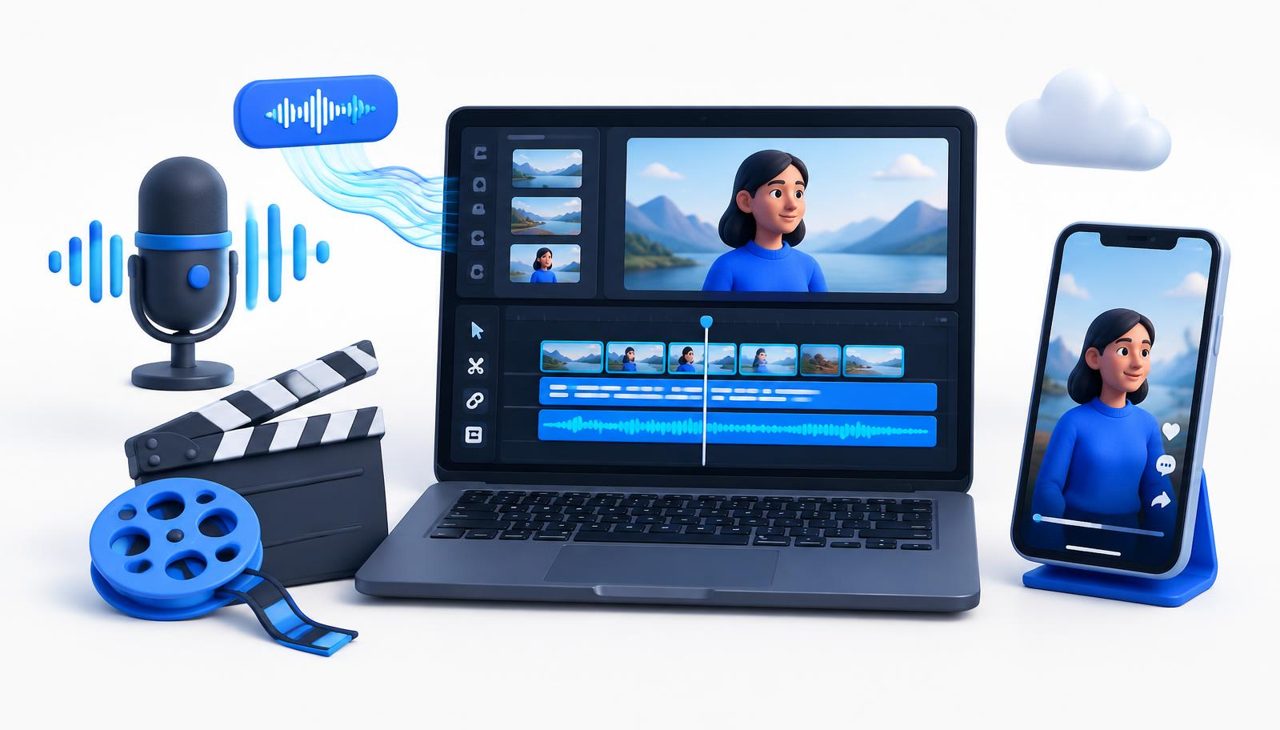
The Stories Editor is a multi-track timeline for conversations, podcasts, and narration. You can drag clips, trim audio inline, and attach versions to each clip. It works as a small DAW for multi-speaker voice content, with no studio and no separate editor needed.
5. What effects, versions, and queue does Voicebox offer?
- Eight effects built on Spotify's pedalboard library, including pitch shift, reverb, delay, and compression. Four presets come built in: Robotic, Radio, Echo Chamber, and Deep Voice.
- Unlimited length. Text up to 50,000 characters is split automatically at sentence boundaries and joined with crossfades.
- Version management. Each generation keeps a clean base, effect versions, and takes with different seeds.
- An async queue. You submit a generation and keep working. You do not have to wait.
6. What is the Captures tab?
Every recording, dictation, or file you upload lands in the Captures tab. You always get the original audio plus a transcript. You can re-transcribe with a different Whisper size, run the transcript through the LLM again with different plugins, and edit inline. You can also turn any capture into a voice sample for a new profile in one click.
What is the technical stack?
Voicebox is built with a modern stack, and it is worth knowing if you want to look under the hood. Here is how the pieces fit together.
| Layer | Technology |
|---|---|
| Desktop app | Tauri (Rust), not Electron, for native performance |
| Frontend | React, TypeScript, Tailwind |
| Backend | FastAPI (Python) |
| Local LLM | Qwen3 (0.6B / 1.7B / 4B), shared runtime with TTS and STT |
| Inference | MLX on Apple Silicon (4 to 5 times faster), PyTorch with CUDA, ROCm, DirectML, or Intel Arc |
| Database | SQLite |
For developers, the repo includes a ready-made .mcp.json file in the root directory. If you open Claude Code inside the project, the Voicebox MCP tools load automatically. The project also includes a dedicated agent skill for adding new TTS engines. You give the agent a model name, and it handles the whole integration on its own. That is what open code looks like in the AI era.
How do you install Voicebox?
You can install Voicebox in about two minutes on Mac or Windows. Docker is also an option, and Linux users need to build from the code.
- Mac or Windows: Download the app from voicebox.sh. There is a DMG for Apple Silicon and Intel Macs, and an MSI for Windows.
- Docker: Run the following command:
docker compose up- Linux: There is no ready-made binary yet. Build from the code using the instructions on the official site.
To build from the code as a developer, run these commands:
git clone https://github.com/jamiepine/voicebox.git
cd voicebox
just setup   # venv + all dependencies
just dev     # backend + app
What is not in Voicebox yet?
I do not want to sell you dreams, so here are the current limits.
- Automatic pasting of dictated text works only on macOS. On Windows and Linux it is on the roadmap.
- Linux has no ready-made binary. You build from the code.
As with any open TTS engine, quality in these languages is not yet at the level of English. Test with your own voice before you build anything for production.
- Heavy models need a serious GPU. They work on a CPU, but more slowly.
The roadmap also includes streaming transcription, end-to-end speech-to-speech models such as Moshi and GLM-4-Voice, voice creation from text descriptions, integrations with Obsidian and Apple Notes, and a companion mobile app.
What can you use Voicebox for?
Voicebox fits several kinds of work.
- Content creators can record narration for reels and videos in their own voice, without paying per character.
- Developers can have their agents speak. Have you ever heard Claude Code announce that a deploy finished? After you hear it once, you will not want to go back.
- Podcasters can produce intros, outros, and transitions without a studio.
- Daily writing gets faster. Emails, documents, and messages can be dictated at about three times the speed of typing, with automatic cleanup.
- Accessibility users can have an alternative voice if they cannot speak in their original voice.
- Game developers can generate dialogue for NPCs in real time, locally.
Bottom line
Voicebox is not just another wrapper around someone else's API. It is a full voice studio that runs on your own machine, released under the MIT license, and it is free. Open engine quality is improving fast, but cloud services still have an edge in some cases, especially outside English.
For most creators, developers, and privacy-focused teams, Voicebox is already a practical choice. The full repo is at github.com/jamiepine/voicebox, the download and demo are at voicebox.sh, and the documentation is at docs.voicebox.sh.
Questions people ask
Is Voicebox free to use?
Yes. Voicebox is free and released under the MIT license, and it runs on your own computer with no subscription, no cloud service, and no API keys. The article compares this with ElevenLabs, which costs $99 per month on the Creator plan, and WisprFlow, which is a monthly subscription.
What can Voicebox do?
Voicebox clones a voice from a few seconds of audio, generates speech in 23 languages, dictates text into any app on your computer, and gives a voice to any AI agent that supports MCP. It bundles these features into one local app.
Which computers can run Voicebox?
Voicebox has a DMG for Apple Silicon and Intel Macs and an MSI for Windows. Docker can also run it with docker compose up. Linux does not have a ready-made binary yet, so Linux users build it from the code using the instructions on the official site.
Can Voicebox give my AI coding agent a voice?
Yes. Voicebox includes a built-in MCP server, so agents like Claude Code, Cursor, Windsurf, and Cline can speak to you in a voice you cloned. You can add it to Claude Code with one command, and each agent can use its own voice.
Can Voicebox replace ElevenLabs for every professional use?
Not yet, according to the article. Open engine quality is improving quickly, but cloud services still have an edge in some cases, especially in languages other than English. For most creators, developers, and privacy-focused teams, the article says Voicebox is already a practical choice.