Vibe Coding for Non-Technical Founders: A Practical Guide
Learn how non-technical founders can build real web products with vibe coding, using Lovable, Supabase, Stripe, and Claude, without writing code.


Two years ago, if I had a software idea but no coding skills, I had two bad options. I could hire an agency for $50,000 to $200,000+ and wait 6 to 12 months for a product that might not match my vision. Or I could find a technical co-founder, split my equity, and wait months while hoping the partnership worked.
Many good product ideas died in that gap. The barrier to building was simply too high.
That barrier is falling fast. This guide shows you how to turn a product idea into a real, working product with AI tools, even if you have never written code.
In short: Non-technical founders can now build real web products with vibe coding. The main tools are Lovable for building the app, Supabase for the database and user accounts, Stripe for payments, and Claude for planning and debugging. Lovable has a free tier to start, with paid plans from about $20 per month.
Key takeaways
- Before AI tools, building a software product often meant an agency cost of $50,000 to $200,000+ and a wait of 6 to 12 months.
- Vibe coding follows a loop: describe what you want, evaluate what was generated, then refine.
- Lovable is the main tool to start with, and it creates both the frontend and the backend.
- Stripe Checkout, Stripe Customer Portal, and Stripe Billing handle most billing tasks without custom payment code.
- Supabase has a free tier to start, and user accounts, passwords, and sessions are handled automatically.
- Vibe-coded products typically work well at early scale, from hundreds to low thousands of users, but may hit performance limits beyond that.
What is vibe coding for non-technical founders?
Vibe coding is an iterative way to build software. You describe the direction, AI generates something, you check it against what you meant, and you refine it. It feels closer to working with a creative collaborator than programming a computer.
The mindset matters more than the tools. Traditional software development is precise. Code either compiles or it doesn't, and logic is either correct or it fails. Vibe coding is iterative instead.
Here is the three-step loop:
- Describe what you want in natural language, as clearly as you can.
- Evaluate what was generated. Does it do what I meant? Does it feel right for the user?
- Refine by saying what is wrong, what should change, and describing the change.
Non-technical founders often have an advantage here. They think about software from the user's perspective, not the implementation perspective. That user-centric thinking tends to produce better prompts and better product decisions.
Do you need to know how to code to build software in 2025?
No. You do not need to write code to build a software product with today's AI tools. You need clear thinking, precise communication, and a willingness to iterate.
The term "non-technical" is becoming less useful. A year ago, building a SaaS product required skills like JavaScript, React, Node.js, SQL, API design, DevOps, and several others. AI tools have now abstracted away part of that work.
What you need:
- Clear thinking about product problems. What does this solve, for whom, and why now?
- The ability to communicate precisely in natural language, which is how you write effective prompts.
- Critical judgment about whether something works, through testing and iteration.
- Basic digital literacy, such as being comfortable with web tools, accounts, and payments.
Helpful but not required:
- Understanding of basic web concepts, such as what a database or an API is.
- Familiarity with how SaaS pricing models work.
- Experience with tools like Zapier, Airtable, or Notion, which signals comfort with structured tools.
Not required:
- JavaScript, Python, or any other programming language.
- Understanding of git, version control, or deployment.
- Experience with cloud infrastructure.
- Computer science fundamentals.
If you are smart, can describe what you want clearly, and will iterate when things don't work on the first try, you can build software products with today's AI tools.
Which tools do you need to build a product without coding?
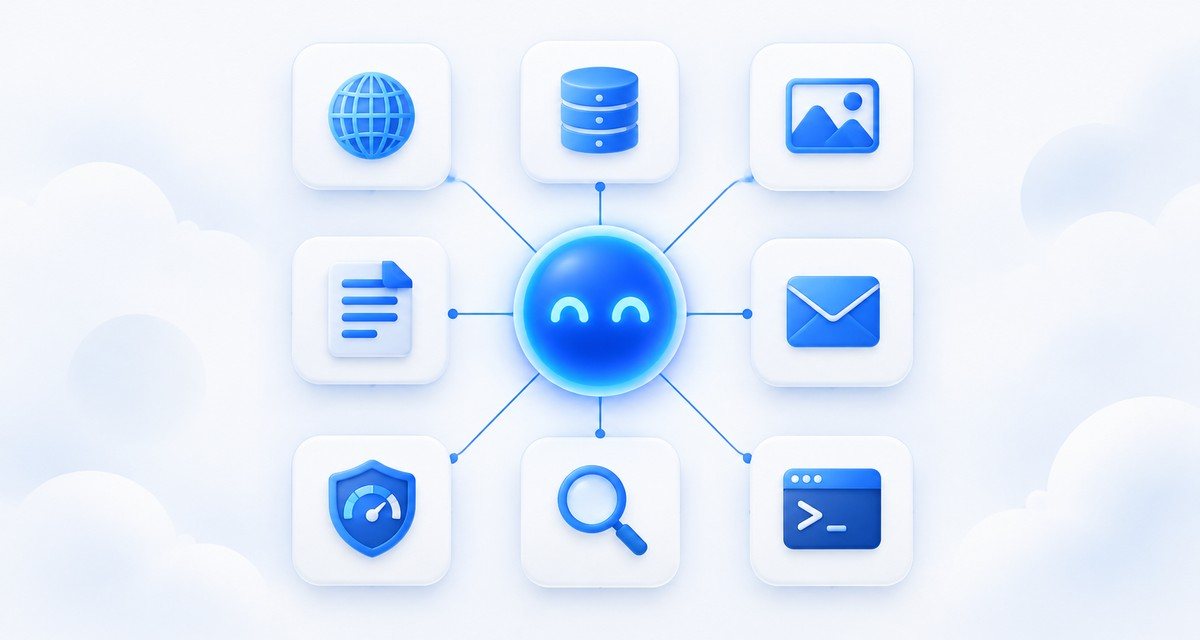
You need a builder, a design helper, an AI partner, a payment system, and a database. Lovable does most of the building, and the other tools fill specific gaps.
| Tool | Role | Pricing from the guide |
|---|---|---|
| Lovable | Primary builder for full web apps | Free tier to start, paid plans from about $20 per month |
| v0 by Vercel | UI component and layout generation | Not stated |
| Claude | Product thinking, prompt writing, debugging | Not stated |
| Stripe | Payments and subscriptions | Account is free to create |
| Supabase | Database and user authentication | Free to start |
What is Lovable and how do you use it?
Lovable is the tool most non-technical founders should start with. It is built for real web applications, not just landing pages or static sites. It uses a full-stack AI generation approach.
What Lovable gives you:
- A chat interface where you describe what you want to build.
- Real-time generation of the frontend, which is the user interface, and the backend, which covers the database and logic.
- Direct integration with Supabase for your database and user authentication.
- A live preview of your application as it is being built.
- One-click deployment to a live URL.
- The actual code, so if you later hire a developer, they have a codebase to work with.
How non-technical founders use Lovable:
Start with a product brief. For example:
Build a tool for freelance copywriters to manage client projects. It should have: - A login/signup page - A dashboard showing all active projects with status (draft, in review, delivered, paid) - A project detail page with client info, project description, deadline, rate, and notes - The ability to create new projects and update their status - A simple invoicing view that calculates totals based on hours or project rate
Lovable will generate a working application from that description. Then you iterate:
The dashboard looks good, but I want to add a filter to show only projects with "in review" status. Also, can you make the deadline show as red if it's within 3 days?
Each iteration gets you closer to what you actually want.
What Lovable is not:
- A replacement for a developer on complex technical problems.
- Able to build every kind of application. Very complex, novel systems still need real development.
- Guaranteed to be secure without careful review.
How do you use v0 by Vercel for interface design?
v0 is a UI generation tool from Vercel. You describe an interface, and it generates a functional React component.
As a non-technical founder, I use v0 for three things:
- Generating specific UI components to add to a Lovable app.
- Designing landing pages and marketing pages.
- Getting a visual sense of what the product could look like before building it.
You can describe what you want and iterate visually:
A pricing table for a SaaS product with three tiers: Starter ($19/mo), Growth ($49/mo), and Scale ($99/mo). Each should list 5-6 features, with features disabled in lower tiers grayed out. A "Most Popular" badge on the Growth tier.
The result can be copied into your Lovable project or shared with a designer as a reference.
How do you use Claude as a thinking partner?
Claude, and other advanced AI models, are useful for thinking through product decisions. They are not mainly for generating code directly.
Product thinking:
I'm building a tool for [user] that helps them [job to be done]. My MVP has [features]. What am I likely missing? What edge cases should I think about? What would make this sticky?
Writing prompts:
I want to add [feature] to my Lovable app. Help me write a clear, specific prompt that will give the AI everything it needs to build this correctly.
Debugging:
My Lovable app is showing this error: [error message]. What does this mean and what should I tell the AI to fix it?
User research questions:
I'm building [product]. What are the top 10 questions I should ask my target users to understand whether this is something they'd pay for?
Launch planning:
I'm launching [product] for [user]. Where should I announce it? What communities should I post in? Write a template for my launch post.
Claude stays with you through the entire build process.
How do you set up payments with Stripe?
Use Stripe for payments. There is no good alternative. Stripe has pre-built solutions for almost every billing task, so you do not need to build a payment system yourself.
- Stripe Checkout: A pre-built payment page. You don't build a payment form. You redirect users to Stripe's page, and they handle the rest.
- Stripe Customer Portal: A pre-built subscription management page where users can upgrade, downgrade, or cancel. You don't build this either.
- Stripe Billing: Recurring subscription handling. Stripe charges users automatically every month.
Lovable can generate the code that connects to these Stripe products. You don't need to understand how it works under the hood. You need to know that it works and how to set it up.
Setup steps:
- Create a Stripe account. It's free.
- Create your subscription products in the Stripe dashboard by filling in a form.
- Tell Lovable: "Integrate Stripe Checkout for these plans: [paste your Stripe price IDs]"
- Follow Lovable's output to test the payment flow.
How do you set up Supabase for your database and login?
Supabase is your database. It stores all of your app's data, and it handles user authentication, including sign up, login, and password reset.
You do not need to write SQL or learn database design in depth. Here is what to know:
- Supabase is free to start, with a very generous free tier.
- Lovable integrates directly with Supabase. You describe your data model in natural language, and Lovable creates the database structure.
- Supabase has a visual table editor that works like a spreadsheet, so you can see and edit your data directly.
- User accounts, passwords, and sessions are handled automatically.
The only Supabase step you do by hand is to create a project at supabase.com, copy the project URL and API key, and paste them into Lovable when it asks. Lovable handles everything else.
How do you build a client portal step by step?
You build a client portal by setting up your accounts, writing one master prompt, generating a first version, and then refining it. The example below is a client portal for a management consultant.
The portal lets clients log in to see their project status, view deliverables, leave comments and questions, and access invoices.
Step 1: Set up accounts
- Create a Lovable account.
- Create a Supabase account and a new project called "client-portal."
- Create a Stripe account and set up your consulting packages as products.
Step 2: Write your master prompt
Build a client portal for a management consulting business. There are two user types: 1. Admin (me): can create client accounts, create projects, upload deliverables, and manage everything 2. Client: can only see their own projects and deliverables, leave comments, and access invoices Pages: - Admin dashboard: list of all clients and projects with status - Admin project page: manage project details, upload deliverables (PDF/doc files), create invoices - Client login page - Client portal home: their active projects - Client project page: project details, deliverables list with download links, comment thread, invoices Database needs: clients table, projects table, deliverables table, comments table, invoices table Design: clean, professional, white background, dark gray text, blue accent color. Should feel like a premium service.
Step 3: Generate and review
Lovable builds the first version. Then check:
- Does the admin dashboard show what you need?
- Does the client login work?
- Can clients see only their own data?
Step 4: Iterate on specifics
The deliverables section needs to show the file size and upload date next to each file. Also, add a "Status" badge to each deliverable (Draft, In Review, Final) that the admin can change.
On the invoice page, add a "Pay Now" button that connects to Stripe Checkout using this price ID: [your Stripe price ID]
Step 5: Test as both user types
Create a test client account and log in as that client. Try to access admin pages. You should not be able to. Upload a deliverable as admin, then verify the client can see and download it.
Step 6: Deploy and use
Lovable provides a live URL. At that point, you are in production.
What can vibe coding not do well yet?
Vibe coding has clear limits for non-technical founders. Know them before you plan your product around the tools.
Complex custom integrations. If your product needs to connect to an obscure or custom API with poor documentation online, AI tools will struggle. The best integrations are with well-documented, widely used services such as Stripe, Supabase, Twilio, and SendGrid.
High-traffic scale. A product with thousands of simultaneous users doing computationally intensive tasks needs professional engineering. Vibe-coded products typically work well at early scale, from hundreds to low thousands of users, but may hit performance limits beyond that.
Security review. Non-technical founders often don't know what security vulnerabilities look like. If you handle sensitive user data, financial information, or personal health information, get a security review from a professional before you have real users. This is not optional.
Ongoing maintenance. Software needs maintenance. Dependencies go out of date, services change their APIs, and platforms get updated. You will either need to learn enough to handle basic maintenance or budget for occasional developer help.
Complex business logic. If your core value depends on complex calculations, unusual data processing, or new algorithms, you may reach the limit of what vibe coding handles reliably.
How much technical knowledge should you learn?
You should learn enough to understand what you are building, but not enough to write code fluently. That is the practical answer for 2025.
You should develop enough understanding to:
- Read and roughly understand the code AI generates. What is this file doing?
- Understand basic concepts: what a database is, what an API is, what a component is, and what authentication is.
- Interpret error messages with the help of AI. You don't need to know how to fix them. You need to understand them well enough to describe them accurately.
- Have informed conversations with developers if you hire them.
The most valuable investment is learning basic web concepts through resources like freeCodeCamp's first few modules or The Odin Project's intro sections. The goal is not to become a developer. The goal is to think more precisely about what you are building.
Why do non-technical founders often build better products?
Non-technical founders often build better products than technical founders, because they naturally think from the user's perspective.
They don't write better code. They don't write code at all. But they are not pulled toward interesting engineering problems. Technical founders often build sophisticated architectures for problems that don't exist at the current scale, or they optimize for technical elegance over user experience.
Non-technical founders focus on what matters. Does this solve the problem? Is it easy to use? Would someone pay for this?
With vibe coding tools, that user-centric focus is your main advantage. The question is no longer "can you build it?" It is "do you understand the problem and the user well enough to describe what needs to be built?"
That is a product question, and product thinking is something you already have.
How do you get started in your first week?
Spend the first week building a small test app, then a real plan, then a first version of your product. Here is the day-by-day plan.
- Day 1: Create a Lovable account and go through their tutorial. Build something small that doesn't matter, such as a simple to-do list app or a personal expense tracker. Get comfortable with the prompt, iterate, and evaluate loop.
- Day 2: Write your product brief in one paragraph. Cover the problem, who has it, the core features, and how you will charge for it. Don't build anything yet.
- Day 3: Write your master prompt based on the product brief. Share it with Claude and ask for feedback. What is unclear? What is missing? What ambiguity might cause the AI to generate the wrong thing?
- Day 4: Generate your first version in Lovable. Don't try to make it perfect. Just generate and review.
- Day 5: Iterate on the three most important things that aren't right. Skip cosmetic issues and focus on functional ones. Does the core feature work?
- Days 6 and 7: Test it as a real user. Show it to one other person, get their reaction, and iterate.
By the end of week one, you will have a working prototype. Two years ago, that would have taken months and tens of thousands of dollars.
Where can you learn more about vibe coding?
Start with the official Lovable documentation and tutorial, then use the communities and
Questions people ask
Can a non-technical founder really build a working software product with AI?
Yes. The combination of AI coding tools, visual development platforms, and backend-as-a-service products makes it possible to build real applications with databases, authentication, payment processing, and features users can rely on. The guide describes these as actual products, not prototypes or mockups.
Do you need to know how to code to use vibe coding tools?
No. Fluent code writing is no longer a prerequisite for building products. You do need clear thinking about the product problem, the ability to describe what you want in natural language, and the judgment to test and iterate.
What tools do you need to build a product with vibe coding?
The core toolkit includes Lovable as the primary builder, v0 by Vercel for interface design, Claude as a thinking partner, Stripe for payments, and Supabase for the database and user authentication. Lovable has a free tier to start, with paid plans from about $20 per month.
What are the main limitations of vibe coding for non-technical founders?
Vibe coding struggles with complex custom integrations, high-traffic scale, and complex business logic. Products handling sensitive data should get a professional security review before they have real users. Software also needs ongoing maintenance, so you will either need to learn basic maintenance or budget for developer help.
How long does it take to build a first version of a product this way?
The guide lays out a first-week plan that ends with a working prototype. The plan covers a test build on day 1, a one-paragraph product brief on day 2, a master prompt on day 3, a first generated version on day 4, iteration on day 5, and user testing on days 6 and 7.