homeclaw: The AI Agent for Your Whole Family
Learn what homeclaw is, how to install it with Docker, connect Telegram and WhatsApp, set up family routines, and secure your home AI agent.

Every family has a group chat that nobody reads. Dentist appointments, after-school classes, Grandma's birthday, and who is picking up whom all fall through the cracks. I tried a shared calendar, I tried apps, and I tried a whiteboard on the fridge. Nothing lasted more than two weeks.
In short: homeclaw is an open source AI agent (MIT license) that runs on your own computer at home. It knows each family member separately, keeps shared household knowledge, manages contacts, reminders, and routines, and talks to you through Telegram, WhatsApp, a web interface, or a terminal. The project is young: version 0.12, one developer, and very few stars.
Key takeaways
- homeclaw is an open source AI agent under the MIT license that runs at home and is built around a household, not one person.
- Each family member gets separate memory, and the household shares common knowledge such as the address, the family doctor, and the parking code.
- Routines are written in a plain text file called ROUTINES.md in natural language.
- The recommended install is one Docker command, followed by a setup wizard at http://localhost:8080.
- The software is free, and running it with Ollama locally costs 0 with no data leaving the house.
- The project is version 0.12 with one developer, so the author treats it as a home lab project, not a finished product.
What is homeclaw?
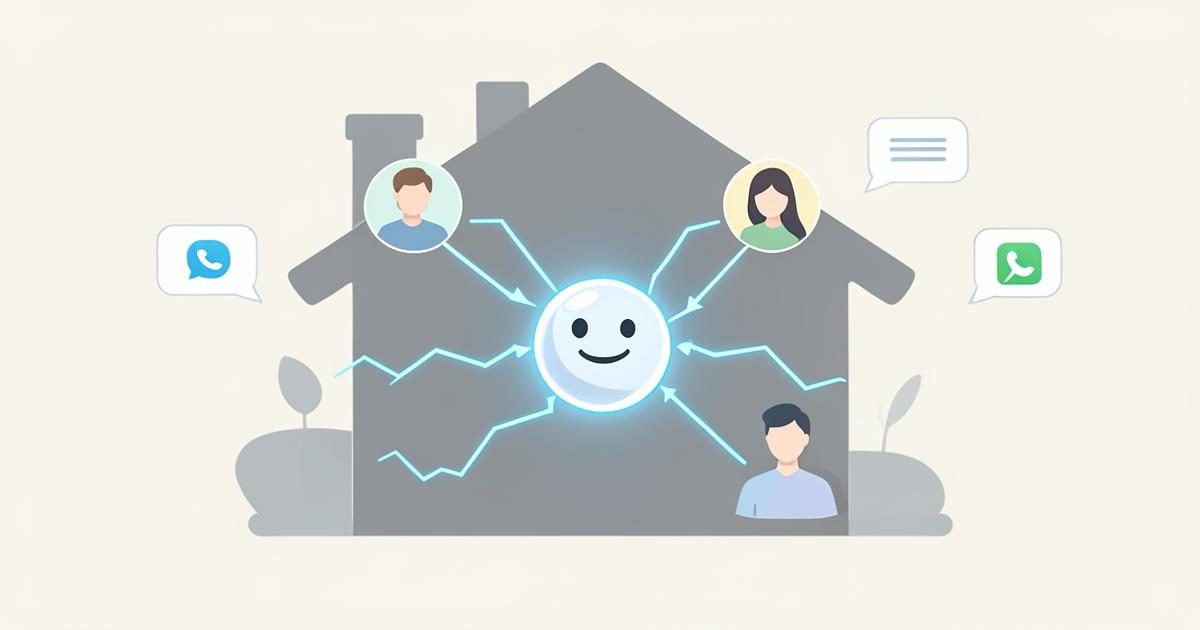
homeclaw is an open source AI agent under the MIT license that you run on your own machine. It is designed around a family, not a single user. Each person has separate memory, the household shares knowledge, and the agent manages a family contacts book and routines.
The project started from a simple question. OpenClaw became the fastest growing open source project in GitHub history, with more than 300K stars. It is built around one person: one session, one memory, one user. The developer Jayphen took the OpenClaw idea and asked what would happen if the basic unit were a home instead of a person. That means several people, separate memory for each one, shared knowledge for everyone, a family contacts book, and routines that coordinate between them.
I want to be direct about the state of the project. homeclaw is young. It is version 0.12, built by one developer, and it has almost no stars. It does not have a voice feature yet, and it does not connect to a smart home yet. But it already works for daily use, it is built well, and it is the first project I have seen that treats a family as a system. You are reading about it early.
How is homeclaw different from OpenClaw?
The main difference is focus. OpenClaw is a personal assistant for one person, while homeclaw is built for a household. The table below shows the key differences.
| homeclaw | OpenClaw | |
|---|---|---|
| Focus | The home: several people, shared context | One person |
| Memory | Markdown files per person, plus semantic search | Per session |
| Contacts | Built in: people, interactions, reminders | None |
| Channels | Telegram, WhatsApp, web UI, terminal | 20+ (Slack, Discord, iMessage, and more) |
| Models | Anthropic, OpenAI, OpenRouter, Kimi, Gemini, Ollama | Mainly OpenAI |
| Routines | ROUTINES.md file in natural language | Cron, webhooks |
| Voice | None (yet) | Yes |
| Smart home | Planned | Not built in |
| Install | Docker, Unraid | npm, Docker, Nix |
| Maturity | 0.12, in active development | 329K+ stars, mature |
The bottom line: if you want a strong personal assistant for yourself, choose OpenClaw. If you want something the whole family will use, choose homeclaw. You can also run both.
How does homeclaw help in daily life?
homeclaw helps by giving each person in the house their own assistant that shares a common base of knowledge. You do not need to understand Docker to see the value. Here are three real scenarios.
1. Everyone in the house talks to the same assistant and gets a different answer
A child writes on Telegram: "When is my class tomorrow?" The child gets their own class schedule. You write on WhatsApp: "What do we have this week?" You get the full picture for the household. Each person's memory is stored separately, and the house shares common knowledge such as the address, the family doctor, and the parking code. What is private stays private.
2. Routines written in plain language
Instead of setting up complicated automations, you open a text file and write something like this:
## Morning briefing
**Schedule:** Every weekday at 7:00am
**Action:** For each family member, summarize today's calendar, reminders, and weather. Send each person the summary on their preferred channel.
That is all. The agent reads the file, understands the schedule, and carries it out. Each family member gets their own briefing on their own channel: the child on Telegram, and you on WhatsApp.
3. A contacts book that remembers what you forget
homeclaw manages a family CRM: who the people in your life are, when you last spoke, what happened, and what you need to remember. For example: "Aunt Ruthie moved apartments," "The neighbor asked us to watch the cat during Sukkot," or "The little one's teacher asked for an update." Six months later, when you ask, "What is going on with Ruthie?", it knows.
How do family routines work in homeclaw?
Family routines are written as plain text blocks in a file called ROUTINES.md, with a schedule and an action in natural language. The agent detects missed routines, for example when the computer was off, lets you run them manually, and shows what each routine cost.
Here is a routine file ready for a holiday season. Copy it to workspaces/household/ROUTINES.md:
## Morning briefing
**Schedule:** Every weekday at 7:00am
**Action:** For each family member, summarize today's calendar, reminders, and weather. Send each person the summary on their own channel.

## Weekly family summary
**Schedule:** Every Friday at 12:00pm
**Action:** Prepare a short summary of the coming week for the whole household: events, classes, and who needs a ride. Send it to the shared group.

## Preparing holiday greetings
**Schedule:** On September 9 at 6:00pm
**Action:** Go through all contacts. For each one, write a personal New Year greeting of 3-4 sentences, based on something real that happened with them this year and a specific wish. No clichés. Send me all of them for approval, one by one, with the name on the first line.

## Grandma before the holiday
**Schedule:** On September 10 at 10:00am
**Action:** Remind me to call Grandma before the holiday, and include 2 topics we recently talked about with her.

## Plant watering reminder
**Schedule:** Every Sunday at 8:00am
**Action:** Remind whoever's turn it is to water the plants.
Can homeclaw write personal New Year greetings?
Yes. You let the agent build context about your contacts over time, then ask it for a short greeting for each one. In my case, the agent wrote 40 greetings and I approved and sent them one at a time.
Every year it is the same. The day before Rosh Hashanah, the messages start: a generic "Happy and sweet new year!" copied to 40 contacts. Everyone knows it is copy-paste, and nobody feels that anyone thought about them.
This year I did something different. After two weeks, the agent had collected what was happening in our lives: who started a new job, who traveled, who had surgery, and who had a new grandchild. Then I gave it one task:
"Go through all contacts. For each one, write a personal New Year greeting of 3-4 sentences, based on something real that happened with them this year and a specific wish. No clichés, and no unnecessary emojis. Send me all of them for approval, one by one, with the name on top."
Forty greetings. For grandma, it mentioned her grandson. For a friend, it mentioned his new business. For the neighbor, it mentioned the cat. I approved, fixed two of them, and sent them.
The same mechanism works for a small business. Replace "contacts" with "clients." The agent builds context over the year, and before the holiday it writes 40 (or 400) personal greetings that a client feels were written only for them. That is the difference between a message that gets deleted and one that gets a reply.
If you want the greetings in your own voice, the VoiceStudio project clones your voice from a 3-second recording and runs locally. It can read each greeting aloud. homeclaw does not do voice yet, so VoiceStudio fills that gap.
How do you install homeclaw with Docker?
The recommended way to install homeclaw is Docker. You need one command and then a setup wizard in your browser.
- Make sure you have a computer that is on all the time. It can be a Mac, a PC, a home server, or Unraid. There are images for amd64 and arm64.
- Install Docker.
- Get one API key. You can use Anthropic, any OpenAI-compatible provider (OpenAI, OpenRouter, Kimi, or Gemini), or Ollama for a free local model.
- Run the container:
docker run -d \
  --name homeclaw \
  -p 8080:8080 \
  -v ./workspaces:/data/workspaces \
ghcr.io/jayphen/homeclaw:latest- Open http://localhost:8080. The setup wizard guides you through API keys, a password, and Telegram.
- If you need the one-time setup token, it is printed in the logs. Run
docker logs homeclawto see it.
If you prefer docker-compose, use this:
docker compose up -dImportant: the workspaces folder is your entire home. It holds your contacts, memory, notes, and settings. Back it up. Always.
The setup takes about 10 minutes for someone comfortable with a terminal. You do not need to write code to install it.
How do you install homeclaw from source?
To install from source, you need Python 3.12 or newer and uv. Clone the repository, sync the dependencies, and start the server. The homeclaw repository is the official source.
git clone https://github.com/Jayphen/homeclaw.git
cd homeclaw
uv sync
homeclaw serve
From a terminal, you can also run:
homeclaw chat --person yoni   # direct chat
homeclaw telegram             # start the Telegram bot
How do you connect Telegram and WhatsApp to homeclaw?
To connect Telegram, create a bot with BotFather, paste the token into Settings in the web interface, and have each family member send /register <name> to the bot. For WhatsApp, go to Settings, then WhatsApp, and scan a QR code the way you would link a device. You do not need the official WhatsApp Business API from Meta.
Telegram setup:
- Create a bot with BotFather and get the token.
- Paste the token into Settings in the web interface.
- Each family member sends
/register <name>to the bot. This links them to their own account in the house.
- Go to Settings, then WhatsApp.
- Scan the QR code, as you would for a linked device.
A candid warning: this WhatsApp connection is not official. It uses the neonize library. Meta does not like automatic linked devices, and mass sending carries a risk of being blocked. My advice: the agent prepares the holiday greetings, and you approve and send them yourselves. Do not let it send 40 messages in a row from your personal number.
Which environment variables does homeclaw use?
The main environment variables control your model provider, Telegram, Home Assistant, and the web password. Set them in your Docker configuration or environment.
| Variable | Purpose |
|---|---|
| ANTHROPIC_API_KEY | Anthropic API key |
| OPENAI_API_KEY + OPENAI_BASE_URL | Any OpenAI-compatible provider, including OpenR |
Questions people ask
What is homeclaw?
homeclaw is an open source AI agent under the MIT license that runs in your home. It is built around a family instead of one person, with separate memory for each member, shared knowledge, a contacts book, and routines. You can talk to it through Telegram, WhatsApp, a web interface, or a terminal.
How is homeclaw different from OpenClaw?
OpenClaw is built for one person and keeps memory per session, while homeclaw is built for a household with separate memory for each person and shared knowledge for everyone. OpenClaw supports 20+ channels and has 329K+ stars, while homeclaw is version 0.12 and under active development. If you want a strong personal assistant, choose OpenClaw. If you want something the whole family will use, choose homeclaw.
How do you install homeclaw?
The recommended way is Docker. Run the docker run command from the guide, then open http://localhost:8080 and follow the setup wizard in your browser. The one-time setup token is printed in the logs, which you can view with docker logs homeclaw.
How much does it cost to run homeclaw?
The software is free. API costs for an average home are a small amount per month, according to the author's estimate, thanks to routing routine tasks to a cheaper model and prompt caching. If you run Ollama locally, the cost is 0 and no data leaves the house.
Is homeclaw safe for a family to use?
Back up the workspaces folder, set a web password and TELEGRAM_ALLOWED_USERS, and do not expose port 8080 to the internet. Access from outside should go through a VPN such as Tailscale. For sensitive data, the author recommends a local model with Ollama.